Showing posts with label social networking. Show all posts

Friday, 12 December 2014

WhatsApp vs. Skype vs. Viber – Spoiled for Choice


There are many clients available for instant messaging and making VoIP calls through the desktop or through mobile phones. Chatting has now left the PC and entered the mobile world in a very big way.
Messaging apps offer additional features, such as making voice and video calls as well. You can even send and receive files, share photos and videos and group conversations through such hangouts. In fact, there are so many apps, such as WhatsApp, Skype and Viber, that the user is spoiled for choice. What makes one better than the other? Let’s see if we can sort it out.
WhatsApp
It is a very popular messaging app for mobile platforms and has more than 200 million users from all over the world. It is available for the Android and iOS phones, as well as for the BlackBerry and Windows Phones. It was recently bought over by Facebook and is also looking towards including audio calls in the near future. Its top features are text chatting, including chatting with groups. It also offers sharing of files, such as photos and videos and location sharing.
WhatsApp is very accessible and simple to use. You don’t have to incur any more SMS charges through your carrier, if your friends also have the app installed on their smartphones. You get a free trial for a year after which you have to pay $1 for a year as subscription. However, at present, you cannot make audio or video calls through this application. In addition, it does not have a presence on PCs and is available only for the mobile platform. It was founded in the year 2009 by two Yahoo employees who created this SMS alternative.
Skype
Skype has the largest user base among all VoIP apps and presently enjoys more than 300 million users from all over the world. It works on the desktop as well as on mobile platforms. The app is a cross platform one and can be installed on the Android and iOS devices, as well as Windows Phone and the BlackBerry. You can also install it on your Windows 8 desktop or a Mac OS X. Skype offers text chatting and instant messaging as well as group chatting. In addition, Skype also offers audio and video calls for free, to all other users who have the app on their devices. You can also make calls to other landlines and other mobile numbers at a very reasonable rate. Skype enables sharing of files, photos and videos as well in addition to a screen-sharing feature.
Skype has become so synonymous with Internet calls that it has gained a verb status. Those who want to make free or cheap international calls generally make use of this app. It has also entered smart TVs and the Xbox One as well as mobile phones. You can have group-chatting with hundreds of users or contacts at the same time. Skype has also introduced the Skype Qik, which can be used for sending short video messages to contacts.
Viber
Viber is a very popular messaging, audio and video calling application with more than 200 million users. It is available for all mobile platforms, such as Android, iOS and Windows Phone as well as BlackBerry devices. It can also be installed on your desktop, Windows 8 or Mac OS X. Viber allows free calls to contacts already having the app. You can access group chatting, audio and video calls as well as share files and access location sharing features. Your phone number is your ID, so you don’t have to create any account or add contacts to the app, which is not the case with Skype. You can also make Viber Out calls to those who do not have the app, and in this case it will be charged to your usual call allowance on your phone.

Friday, 28 November 2014

Google rolls out 'smart' spoon


MOUNTAIN VIEW: Google is throwing its money, brain power and technology at the humble spoon. 

But these spoons (don't call them spoogles) are a bit more than your basic utensil: Using hundreds of algorithms, they allow people with essential tremors and Parkinson's disease to eat without spilling. 

The technology senses how a hand is shaking and makes instant adjustments to stay balanced. In clinical trials, the Liftware spoons reduced shaking of the spoon bowl by an average of 76 percent. 

"We want to help people in their daily lives today and hopefully increase understanding of disease in the long run," Google spokesperson Katelin Jabbari said. 

Other adaptive devices have been developed to help people with tremors — rocker knives, weighted utensils, pen grips. But until now, experts say, technology has not been used in this way. 

"It's totally novel," said UC San Francisco Medical Center neurologist Dr Jill Ostrem, who specializes in movement disorders like Parkinson's disease and essential tremors. 

She helped advise the inventors and says the device, which has a fork attachment, has been a remarkable asset for some of her patients. 

"I have some patients who couldn't eat independently, they had to be fed, and now they can eat on their own," she said. "It doesn't cure the disease — they still have tremor — but it's a very positive change." 

Google got into the no-shake utensil business in September, acquiring a small, National of Institutes of Health-funded startup called Lift Labs for an undisclosed sum. 

More than 10 million people worldwide, including Google co-founder Sergey Brin's mother, have essential tremors or Parkinson's disease. Brin has said he also has a mutation associated with higher rates of Parkinson's and has donated more than $50 million to research for a cure. But the Lift Labs acquisition was not related, Jabbari said. 

Lift Lab founder Anupam Pathak said moving from a small, four-person startup in San Francisco to the vast Google campus in Mountain View has freed him up to be more creative as he explores how to apply the technology even more broadly. 

His team works at the search giant's division called Google(x) Life Sciences, which is also developing a smart contact lens that measures glucose levels in tears for diabetics and is researching how nanoparticles in blood might help detect diseases. 

Joining Google has been motivating, said Pathak, but his focus remains on people who are now able to eat independently with his device. 

"If you build something with your hands and it has that sort of an impact, it's the greatest feeling ever," he said. "As an engineer who likes to build things, that's the most validating thing that can happen." 

Pathak said they also hope to add sensors to the spoons to help medical researchers and providers better understand, measure and alleviate tremors. 

Shirin Vala, 65, of Oakland, has had an essential tremor for about a decade. She was at her monthly Essential Tremor group at a San Ramon medical clinic earlier this year when researchers developing the device introduced the idea and asked if anyone was interested in helping them. 

As it was refined, she tried it out and gave them feedback. And when they hit the market at $295 apiece, she bought one. 

Without the spoon, Vala said eating was really a challenge because her hands trembled so hard food fell off the utensils before she could eat it. 

"I was shaking and I had a hard time to keep the food on a spoon, especially soup or something like an olive or tomatoes or something. It is very embarrassing. It's very frustrating," she said. 

The spoon definitely improved her situation. "I was surprised that I held the food in there so much better. It makes eating much easier, especially if I'm out at a restaurant," she said.


Source:The Times of India

Wednesday, 2 July 2014

Facebook Faces Government Probe Over Study That Manipulated Users' Emotions Without Telling Them


Facebook faces a government investigation in Europe over its study of whether manipulating people's news feeds could change their emoti Reportedly recently,Facebook's experiment tweaked the algorithms of nearly 700,000 unwitting users, causing people to see an abnormally low number of either positive or negative posts. People who saw more negative posts wrote more negative posts, and vice versa, showing that their mood was being affected by the kinds of things they were reading on Facebook.
Now, governments in the U.K. and Ireland look set to investigate, according to the Financial Times:
The Information Commissioner's Office said it was probing the experiment and planned to ask Facebook questions after widespread outrage when it was revealed at the weekend. The regulator said it would also be in contact with the Irish data protection body, because Facebook has its European headquarters in Dublin.
A spokesperson for the ICO said it was too early to tell exactly what part of the law Facebook may have infringed. The regulator looks at how much personal data are used and whether users have given their consent.
Facebook won't be helped by the fact that the company didn't alter its terms of service to disclose to users that their posts would be used for research until four months after the experiment took place, according to Forbes:
Four months after this study happened, in May 2012, Facebook made changes to its data use policy, and that's when it introduced this line about how it might use your information: "For internal operations, including troubleshooting, data analysis, testing, research and service improvement." Facebook helpfully posted a "red-line" version of the new policy, contrasting it with the prior version from September 2011 - which did not mention anything about user information being used in "research."
Facebook CEO Mark Zuckerberg need not lie awake stressing over the outcome of any probe, however. The ICO only has the power to levy a fine of up to £500,000 ($857,000), the FT says - which is pocket change in terms of the $3 billion that the social network holds on its balance sheet.

Facebook Home developer team disbanded

Facebook has disbanded its Home (Android Launcher) team, but the app still lives. 

Facebook's plan to take over the smartphone has not panned out and the social networking site has disbanded its team that was initially responsible for developing Facebook Home. The Android skin released last year displayed Facebook photos on its lock screen and provided easy access to chat messages and status updates.

The Home app released last year wasn't a success that Facebook had hoped for. Although it did a good job of transforming an Android phone into one that felt purpose-built for Facebook, not many users took it up. The skin came preinstalled on the HTC first, but did not get a good response and disappeared shortly after its launch.

Facebook Home saw half a million downloads after its launch, but the growth stalled from there. Google Play lists that the skin has been installed between 1 million and 5 million times which is quiet low for Facebook. Facebook says that it still has a team working on Home, but chances of it moving forward are less. The app remains available in the Play Store, however it hasn't been updated since January.

Facebook has been working on new apps like Slingshot and Facebook Paper. Paper is a magazine-style news reader service and was launched in February. The service is very similar to Flipboard and Google Currents and pulls out relevant content including photos, videos and links from Facebook feed.
Facebook launched a Snapchat clone called Slingshot earlier this month. The app allows users to share videos and photos with their friends, but the only way recipients will be able to see the messages will be if they share something back on Slingshot. The app has been officially launched for Android and iOS platforms.


Tuesday, 1 July 2014

Google Shutting Down Orkut Social Network


Google Inc will shut down its early social-networking service, Orkut, which was launched ten years ago but has failed to put Google ahead in what has become one of the Web's most popular businesses.
Google said it will shut down Orkut, which is widely used in Brazil and India but hasn't caught on more broadly, on Sept. 30, to focus on its other social networking initiatives.
The company declined to say how many users Orkut has.
"Over the past decade, YouTube, Blogger and Google+ have taken off, with communities springing up in every corner of the world. Because the growth of these communities has outpaced Orkut's growth, we've decided to bid Orkut farewell," Google said in a post on the Orkut blog post on Monday.
Orkut was launched early in 2004, the same year that Facebook Inc, now the world's No.1 social network with 1.28 billion users, was founded.
The service's shutdown comes as Google's social networking plans remain in question. In April, Vic Gundotra, the head of Google's social networking services, left the company.
Gundotra oversaw the 2011 launch of Google+, a social networking service similar to Facebook. Gundotra said in October that 300 million users visit the Google+ web page every month.
Google has increasingly sought to position Google+ less as a social networking "stream" that competes with Facebook, and more as a means of establishing a unified "user identity" system to improve Google's various Web properties. Last year, for example, Google began requiring users of its YouTube site to sign in with their Google+ identity before posting comments about videos.
The company said it would preserve an archive of all Orkut "communities" that will be available from Sept. 30.
"If you don't want your posts or name to be included in the community archive, you can remove Orkut permanently from your Google account," Google said.

Thursday, 12 June 2014

Pinterest app comes to Windows Phone!

Pinterest is going for Windows Phone users, having launched the official mobile app for Microsoft’s mobile platform.
As that’s the case with versions of the app for other popular platforms — as in iOS and Android — Pinterest for Windows Phone allows users to pin interesting stuff they come across around the web, and discover new things other Pinterest users have pinned to their boards.
Some of the use cases can be found from the app’s description, which goes as follows:
  • Plan projects-home remodels, car restorations, garden redesigns and other DIYs
  • Dream up your next trip-outdoor adventures, road trips with friends, family outings and exotic vacations
  • Collect your favorite things-illustrations, tattoo ideas, hilarious quotes, tech gadgetry and inspiring art and architecture
  • Save great ideas-articles to read, movies to watch, gifts to buy, fashion and beauty how-tos, food and recipes to cook, fitness tips and lifehacks
  • Get organized for a party-wedding decor, birthday themes, costume ideas and game day menus
Pinterest for Windows Phone is available as a free download and you can get it from the link below.
Pinterest (FREE) [Windows Phone Marketplace]

Facebook updates iOS and Android apps with Nearby Friends invites and offline likes


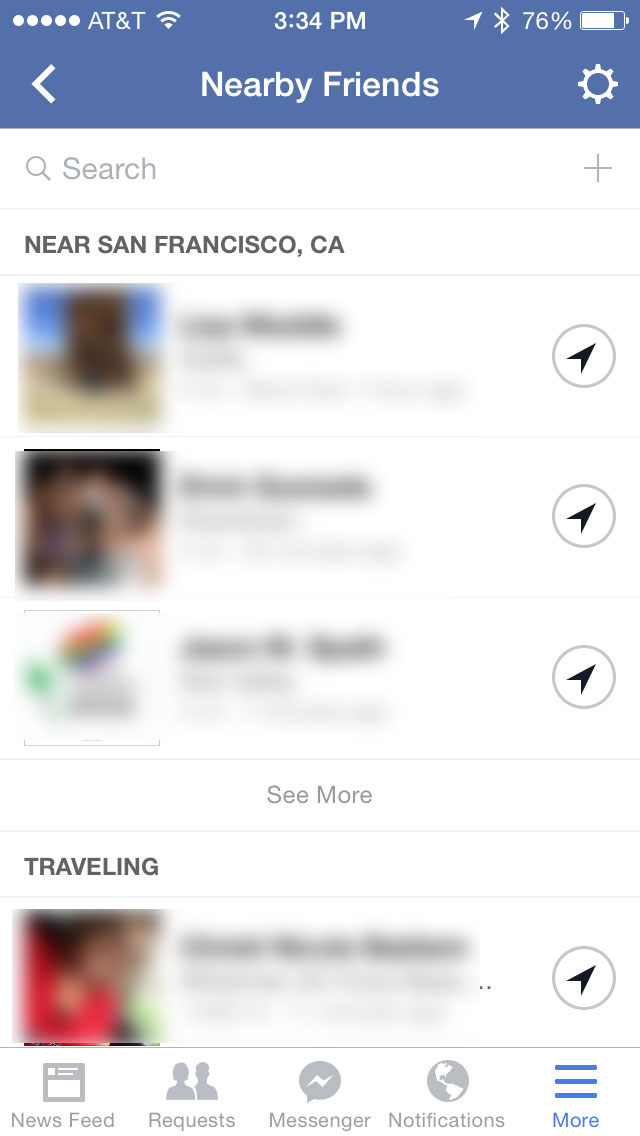
Fcebook has two updates on the mobile world today. Facebook for iOS 11.0 got new additions to its Nearby Friends  feature while Android hit version 10.0 with offline posting. Both updates are available now in the Google Play Store and App Store.
0611 nearby1 220x390 Facebook updates iOS and Android apps with Nearby Friends invites and offline likesFor the iOS version Facebook only posted that today’s update included “improvements for reliability and speed.” But TechCrunch reportsthat after a bit of digging, it found two new updates for Nearby Friends. In the US version of the app, the social network has added search and invite friends buttons.
For Android, Facebook has added the following new features:
  • Like posts, photos and Pages when you’re offline
  • Remove tags you’ve created
  • Remove tags of yourself that your friends have created
  • Turn post notifications on and off
  • Improvements to speed and reliability
Being able to remove tags that your friends have created is a wonderful way to make sure some of the more embarrassing things you did last night don’t end up in your Timeline.
➤ Facebook for iOS and Android

Saturday, 7 June 2014

Yahoo Removing Flickr Sign-In Via Facebook and Google Accounts by June 30


If you used to access Flickr by signing-in through your Facebook or Google accounts, things are going to change for you from June 30 onwards.
Yahoo, the parent company of Flickr, has started informing users that it will remove the option to sign in with a Facebook or Google account by the end of the month. Users will only be able to sign in using a Yahoo account.
At present, users can sign-in one last time using their old Facebook or Google credentials, after which they will be prompted to create a new Yahoo account. Users can either use an existing Yahoo account, or create a new one, while keeping the same Flickr account.
"We're streamlining our sign in process. As a result, you'll need to use a Yahoo account to access your Flickr account," Yahoo noted on its help page.
The company also notes that this procedure won't affect any paid services used already, such as Flickr Pro.
Notably Yahoo had integrated these third-party logins three years ago in 2011. Back in March this year, the company had announced that it will stop letting consumers access its various online services, including photo-sharing site Flickr and Fantasy Sports, by signing-in with their Facebook or Google credentials. Notably the change has been already deployed to Fantasy Sports.
"Yahoo is continually working on improving the user experience," the company had said in a statement, noting that the new process "will allow [it] to offer the best personalized experience to everyone".
Flickr was created by a Vancouver-based company Ludicorp in February 2004, and which was acquired by Yahoo in March 2005 for an estimated $35 million. In March 2013, the website had a total of 87 million registered users and more than 3.5 million new images uploaded daily.

How to Clean Facebook, Twitter, and Other Social Websites


Have your social feeds become too messy? Is all the clutter taking up too much screen space and you can't enjoy social networks anymore? We've found some great Google Chrome extensions to help you eliminate the clutter and focus on the content you want to see.

Facebook
Facebook can be one of the most annoying websites on the Internet, if you judge by the amount of spammy notifications and clutter distracting you from the things your friends share. Although Facebook has taken several measures to eliminate spam from your News Feed, you can remove all the things you don't need using a Chrome extension called FB Purity. After installing FB Purity, login to Facebook. Then follow these steps:
1) Click the FBP button on the right side of Facebook's search bar. This will show you all the options in FB Purity.
2) You can tick mark options by clicking on the button next to them, to enable or disable features. Check the following options for a basic clean-up: Game + App Stories, People You May Know, Gifts, Trending Topics, News Ticker Bar, and Sort Feed : Most Recent. Now click Save and Close at the bottom to apply these changes.
3) There are several advanced options on the FB Purity settings page, such as hiding all sidebar links, or blocking chat, or change fonts and colours. Each is explained in a tooltip, which you can see by hovering the mouse pointer over the options.


Twitter

Twitter is a fairly clean website when compared to most social networks, but the people you follow can make your Timeline a mess. For example, whenever there is a contest on Twitter or when there is a major sporting event going on, you may not want to see all the tweets on your Timeline. To quickly clean that up, install Larry Filter. Now log in to Twitter and follow these steps:
1) Click the Twitter bird icon on the top right of Chrome browser. Here you will see a box where you can add usernames or hashtags that you want to hide from your Timeline.
2) Type the hashtag or username in the form on the right and click Add. A drop-down menu below lets you select if you want to hide those tweets entirely or reduce their opacity by 75%. Either method works well and makes your timeline look a lot cleaner.


Google+

If you use Google+, try the Google+ Optimizer extension to clear all the clutter on Google's social network. Install it and go through these steps.
1) Right-click the orange badge-like icon in the address bar and click Options.
2) Click the Filter tab and hover your mouse pointer over the thumbnails on the left to see what each one does. Here you can filter out all the "ABC +1'd this" posts, apart from YouTube comments, community invites, hashtags, people you may know, etc. Select what you need and enjoy a clean feed.
3) Our suggestion is to go to the Status-Filter header on this page, and click all three - community invites, You might know..., and birthday filter. Under the Content-Filter header, click +1 filter and YouTube filter. These options should get rid of most of the unwanted elements from your Google+ stream. Advanced options include filtering posts by hashtag or a keyword of your choice.


Unfortunately, there are no good Google+ addons for Firefox. However, you can get rid of the white space on Google+ using Whitespace Remover for Google Plus.

YouTube
The world's most popular video sharing platform may not be a full-fledged social network, but it has a huge community of commenters and comes with its share of annoyances. YouTube's several related videos on the side make it difficult to focus on the video you are watching, given that most uploaders are trying their best to grab eyeballs by uploading misleading thumbnails. To hide all the unwanted content, you can try a simple extension called Turn Off the Lights. As the name suggests, the extension makes the rest of the browser window dark, so that none of it distracts you. Here's how to use it.
1) After installing the extension, head to YouTube and play any video.
2) Now click the lamp icon in the address bar. This will dim everything on the screen except the video. Sounds simple right? There's a lot more to this extension than that.
3) Right-click the lamp icon and click Options. As you will see, there are more than enough YouTube tweaks here to help you get a clean layout. On the left side, you'll see tabs called Basics, Advanced Options, etc.
4) Under Basics, move the Opacity slider to 100. Now check the box next to "Automatically dim the background when you click the play button" and "Automatically set the YouTube player to the larger size". These tweaks should be enough for most people, but you can go through all the options to find what suits your needs.


Bonus: Gmail
While Gmail isn't really a social network, we decided to include it in this article due to its popularity. Gmail is an awesome email service, but that doesn't mean it that it is perfect. Over the years, Google has added several elements that make it hard to focus on the stuff you're looking for - email.
If you'd like a cleaner Gmail layout, install Gmelius on Google Chrome. This extension allows you to hide unnecessary elements such as the top bar linking to other Google sites, the chat box, and Google+ activity, among other things.
To clean up your social feed, install Gmelius and log in to your Gmail account. Follow these steps for a cleaner look.

1) Click the "G" icon to the right of the address bar on Chrome. This will take you to Gmelius settings.
2) This page lists all the different settings such as the people widget, chat and calendars, which you can turn on and off.
3) Here are the changes we suggest. Make sure that there is a tick-mark next to these options: Footer, People Widget (only if you don't use Google Voice), Remove Google+ Activity, Colourize navigation icons, and Google icons. This will help you focus on just email. Once you're done, click on Save Changes at the bottom of the page.

4) If you're not sure which ones are best, Gmelius has some suggestions too. The settings page has small buttons next to each of its tweaking options, labelled Power User, Popular, Design, Zen Mode, etc. Selecting the ones marked Zen is a quick way to help focus on the best ones for mail, or you could look at the ones marked popular, to see what other people are selecting.

Gmelius is also available for Firefox, but you'll have to install the extension from their homepage as the developer will soon deprecate the version available on Mozilla's addon site.
These extensions should have helped you clean all your social feeds quickly. In case you use any other extensions, please leave a comment to let us know.

Wednesday, 9 April 2014

80 Smart Statuses for WhatsApp


Today we are sharing a List of 80
Smart Statuses for Whatsapp , This list
of Whatsapp status contains a
collection of best 80 Smart Statuses for
Whatsapp from all around the web. So
without taking much of your time,
Here is the list of 80 best handpicked
short status for Whatsapp. I hope you
all will like this post.


Short Status for Whatsapp:
1. If you can’t convince them,
confuse them.
2. Good girls are bad girls, who never
get caught.
3. I didn't change, I just woke up.
4. You are so awesome that, my middle
finger salutes you.
5. Silence is better than lies.
6. I am not lazy, I just rest before I
tired.
7. Be what you want to be, not what
other wants to see.
8. If “Plan A” didn't work. Don’t
worry; the alphabet has 25 more
letters.
9. Do what is “Right”, not what is
“Easy”.
10. If opportunity doesn’t knock, build
a door.
11. I’m not perfect, I am original.
12. All girls are my sisters except you.
13. I am only responsible for what I
say, not for what you understand.
14. I’m not arguing, I’m simply
explaining why I’m right.
15. Before you judge me, Make sure
that you’re perfect.
16. Accept who you are. Unless you're
a serial killer.
17. You can do anything, but not
everything.
18. Having one child makes you a
parent, having two makes you a
referee.
19. All my life I thought air was free,
until I bought a bag of chips.
20. I never make stupid mistakes, only
very-very clever ones.
21. I don't always have time to
study... but when I do, I don't.
22. Sometimes you just need some
space, to fart.
23. At least mosquitoes are attracted
to me.
24. I had a horribly busy day
converting oxygen into carbon dioxide.
25. The only thing I gained so far in
2014 is weight.
26. Dry fruits are just fruits that
have become senior citizens.
27. When you drop your phone, your
heart hits the ground before your
phone does.
28. That moment when even Caps Lock
can’t express your anger.
29. (-_-) x 1.3 Billion people = China
30. Dear Samsung, please also start
selling jeans that can accommodate
your smartphones.
31. Sometimes the only one, who can
appreciate you, is you.
32. Don’t steal, the government hates
competition.
33. You’re beautiful until your
Photoshop 30 day trial has gone.
34. I'm pretty sure my prayers go
directly to God's spam folder.
35. I am not fat, I am just. Easier to
see.
36. I never make the same mistake
twice. Three, four times maybe. But
never twice.
37. They say that alcohol kills slowly.
So what? Who’s in a hurry?
38. A man is incomplete until he is
married. After that, he is finished.
39. You don’t realize how many
clothes you have, until you wash them.
40. When you wait for a waiter in a
restaurant, aren’t you a waiter?
41. Try to say the letter "M" without
your lips touching.
42. Kidnapping? I prefer the term
“surprise adoption”.
43. Weird is a side effect of awesome.
44. If girls could read minds..Every
second a man would get slapped.
45. Relationships are a lot like
Algebra. Have you ever looked at your
X and wondered Y?
46. Think twice before you speak,
you'd be able to say something more
Insulting.
47. I Was Born Cool, Global Warming
Made Me Hot.
48. I love my six packs so much; I
protect it with a layer of fat.
49. I always learn from mistakes of
others, who took my advice.
50. I heard you took an IQ test and
they said you’re results were
negative.
51. If there is no chocolate in
heaven…”I AM NOT GOING”.
52. You don’t have to like me after
all, I’m not a Facebook status.
53. I don`t have a bad handwriting, I
have my own font.
54. Hey, I found your Nose; it was in
my business again.
55. Reading texts half asleep is like
looking into the sun.
56. If you`re texting two people at the
same time, you are biTextual.
57. Want to surprise your girlfriend?
Introduce her to your wife.
58. I don’t make mistakes, I date
them.
59. My girlfriend is like my iPad...I
don`t have an iPad.
60. The longer the title the less
important the job.
61. My opinions may have changed, but
not the fact that I am right.
62. When in doubt, mumble.
63. By the time you learn the rules of
life, you’re too old to play the game.
64. A fine is a tax for doing wrong. A
tax is a fine for doing well.
65. Women should not have children
after 35. Really… 35 children are
enough.
66. Without ME, it’s just AWESO.
67. If you hurt my best friend, I will
make your death look like an accident.
68. Never have more children than you
have car windows.
69. God must love stupid people- he
made so many!
70. I like children. Properly cooked.
71. Until I was thirteen I thought my
name was 'Shut up'.
72. My Mother is a travel agent for
guilt trips.
73. The worst distance between two
people is misunderstanding.
74. If women could read minds, every
second man will get slapped.
75. I am not failed, my success is just
postponed.
76. Do it today, It might be illegal
tomorrow.
77. The greatest pleasure in Life is
doing what people say you can’t do.
78. If you don’t stand for something,
you will fall for anything.
79. God made every person different,
He just got tired by the time he got to
china.
80. Some people just need a High-
Five, on the face.

So here comes the end of article on
“80 Smart Statuses  for Whatsapp ”, If
you have any other Short Status for
Whatsapp in mind, then don’t forget
to drop it in comment box below.

Monday, 29 July 2013

Facebook to make capital investments worth $1.6 billion in 2013

Social networking giant Facebook,
whose user base is expanding primarily
on the back of rising penetration in
emerging markets like India and Brazil,
will make capital investments worth USD
1.6 billion this year.
In the first half of this year, the
California-based firm incurred a
capital expenditure of USD 595 million
on setting up data centres and storage
infrastructure, among others.
Besides, Facebook shelled out USD 221
million on acquisitions and other assets
such as patents.
"We anticipate making capital
expenditures in 2013 of approximately
USD 1.6 billion," Facebook said in a
filing to the US Securities and
Exchange Commission (SEC). Industry
watchers feel that the company will be
looking to capitalise on its user numbers
and its mobile advertising base.
Bolstered by rising number of users in
high growth markets like India and
Brazil, Facebook raked in 61 percent
USD 1.60 billion of its total revenues
from advertising in the second quarter
of this year.
Internet major Google, which is also
competing with Facebook, generated 92
percent of its revenues from its
advertisers in the six months ended
June 30.
Facebook's investment plans for
increasing infrastructure would get a
boost as it posted strong second
quarter results helped by a surge in
user base and rising mobile ad revenue
, which now represents 41 percent of
its total revenue from advertising,
they added.
Facebook posted a net income of USD
333 million for the April-June quarter
against a loss of USD 157 million in
year-ago period. Its revenue totalled
USD 1.81 billion in the second quarter,
an increase of 53 percent, compared
with USD 1.18 billion in the second
quarter of 2012.
"Cash used in investing activities
during the first six months of 2013
primarily resulted from USD 595 million
for capital expenditures related to the
purchase of servers,
networking equipment, storage
infrastructure and the construction of
data centres," Facebook said
It also spent USD 221 million on
acquisitions of businesses and other
assets like patents, according to the
filing.
On the back of surging user base in
the emerging markets of India and
Brazil, the social networking giant saw
its monthly active users jump 21
percent to 1.15 billion at the end of
June 2013.
"Users in India and Brazil represented
key sources of growth in the second
quarter of 2013 relative to the prior
year," Facebook has said.
The firm's global daily active users
(DAUs) rose by 27 percent to 699
million on average during June 2013
from 552 million during June 2012, again
helped by growth in India, Brazil and
other markets.